Control
Every commitment has an owner and a due date. Status indicators show the cause, too: what is overdue, what is missing, what is keeping a record blocked.
SLOV Operations
It captures what happens where it happens, routes it to the right person and keeps it audit-ready. We build it on your operation, starting with the area that needs it most.
A record starts on the floor, moves forward with an owner at every step, and ends up as evidence that is useful to whoever runs, reviews and decides.
Step 01
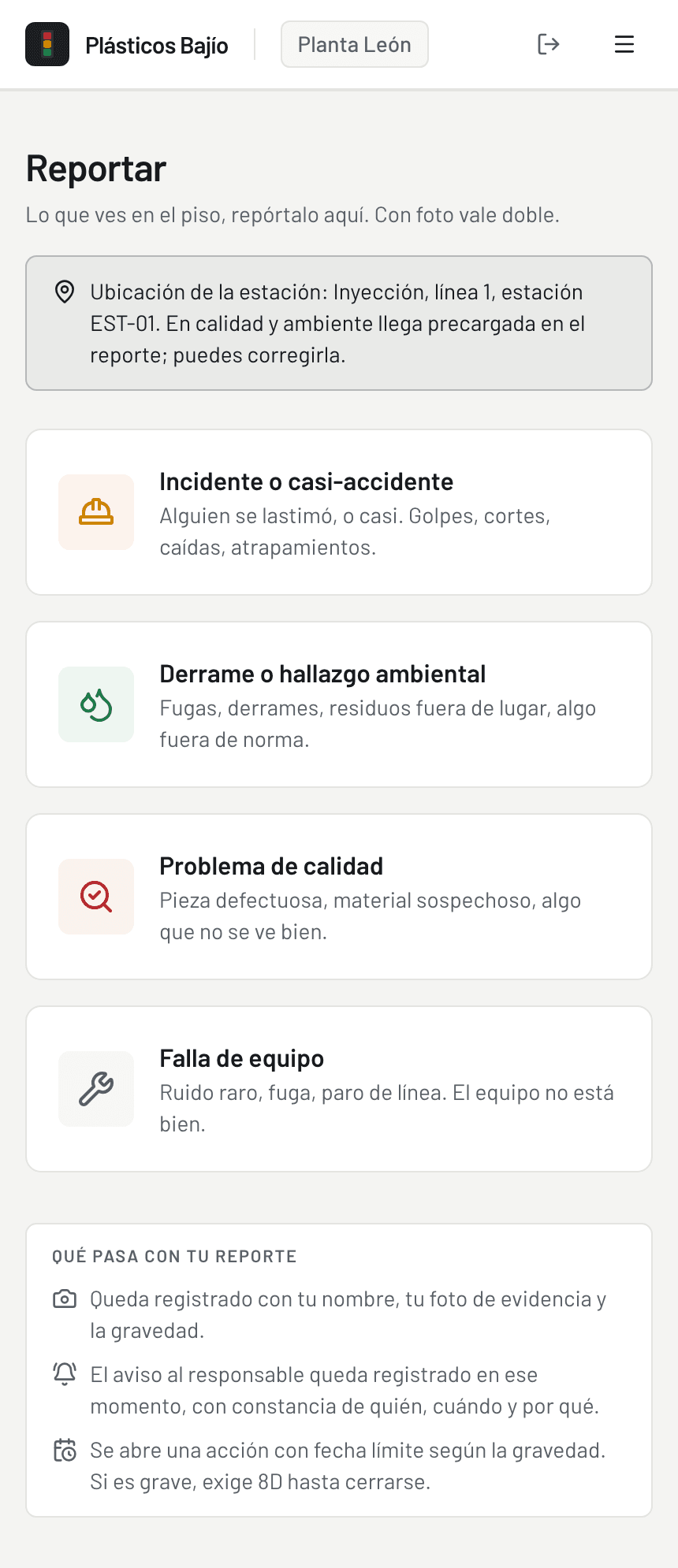
The station code opens the station's information. From there, whoever is on the floor reports what they see, with a photo. Nothing gets typed into a second tool.
Station code · photo report
Step 02
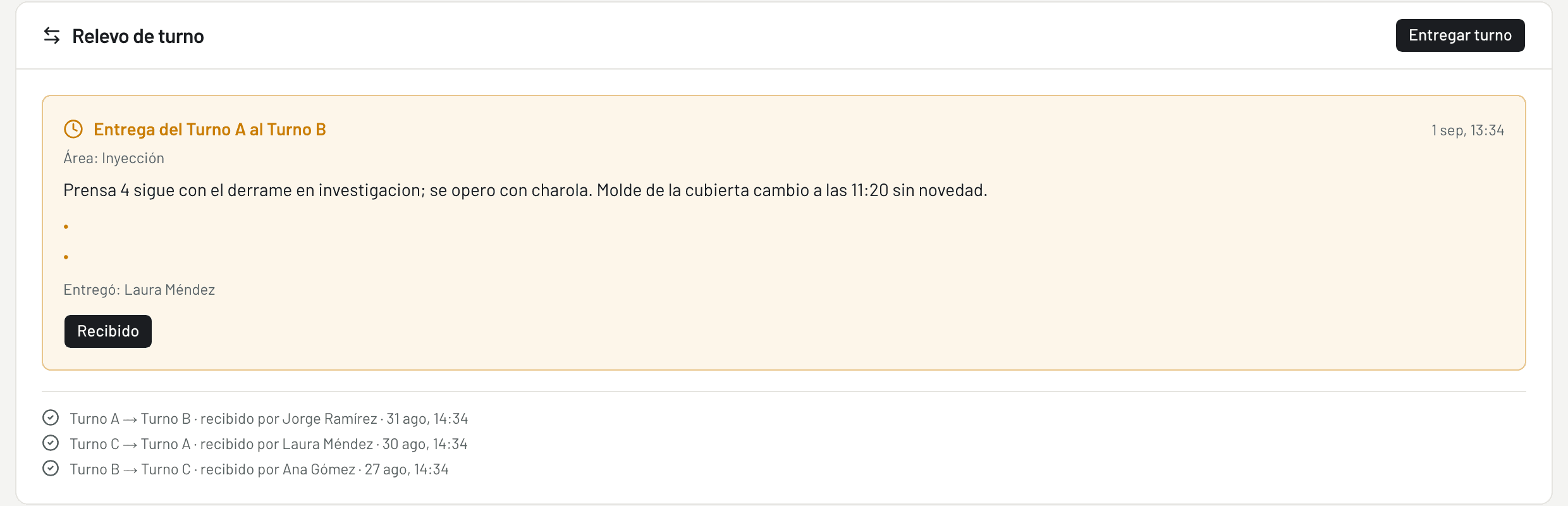
The shift handover carries everything still open, and the alert reaches the areas involved. Every open item has an owner and a date. Every acknowledgment and every signature stays on the record.
Handover · alert · owner and date
Step 03
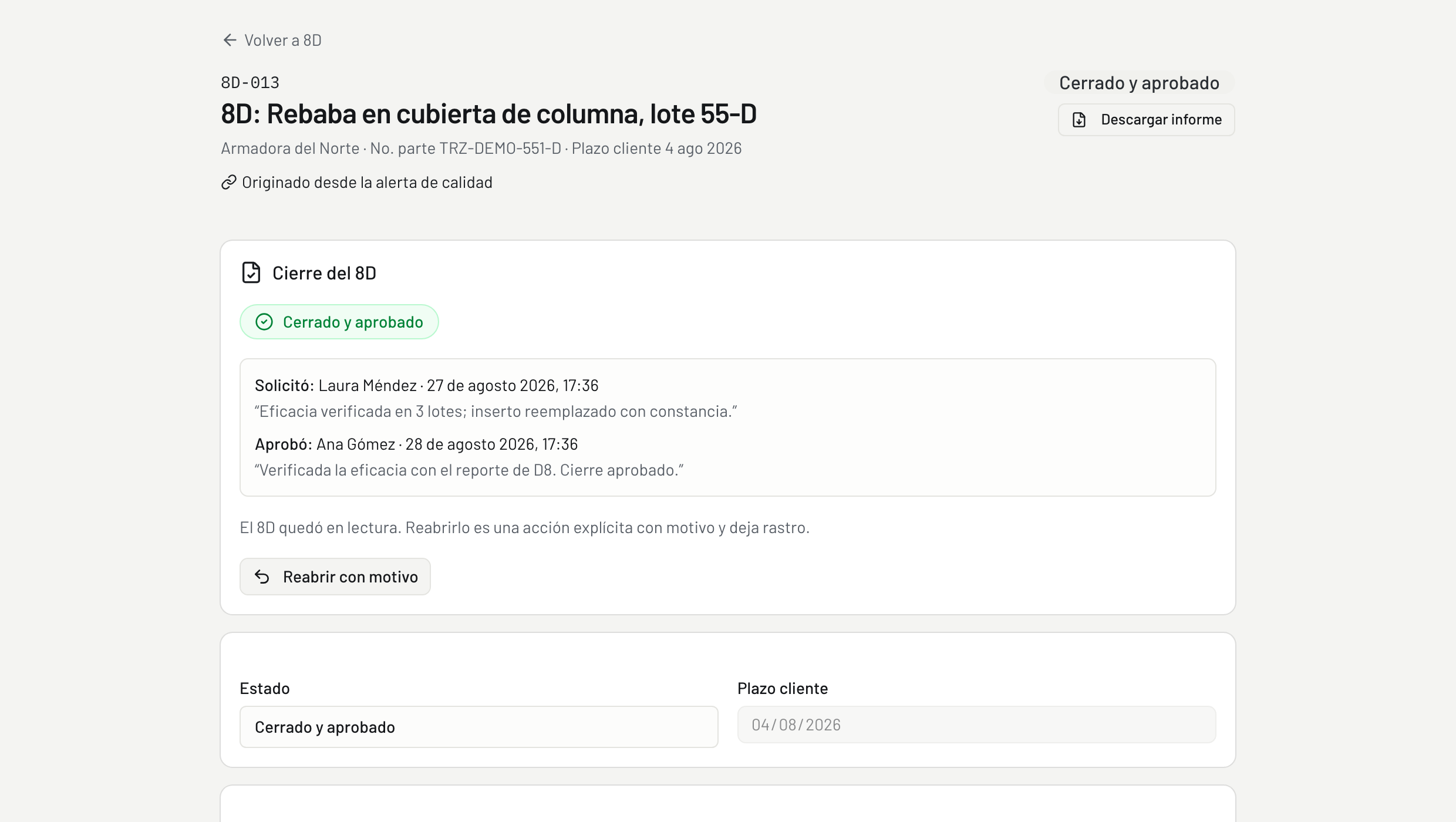
The 8D starts with the description and the containment already filled in from the original record. One person works it. Another reviews the closure before approving it.
8D · review · approval
Step 04
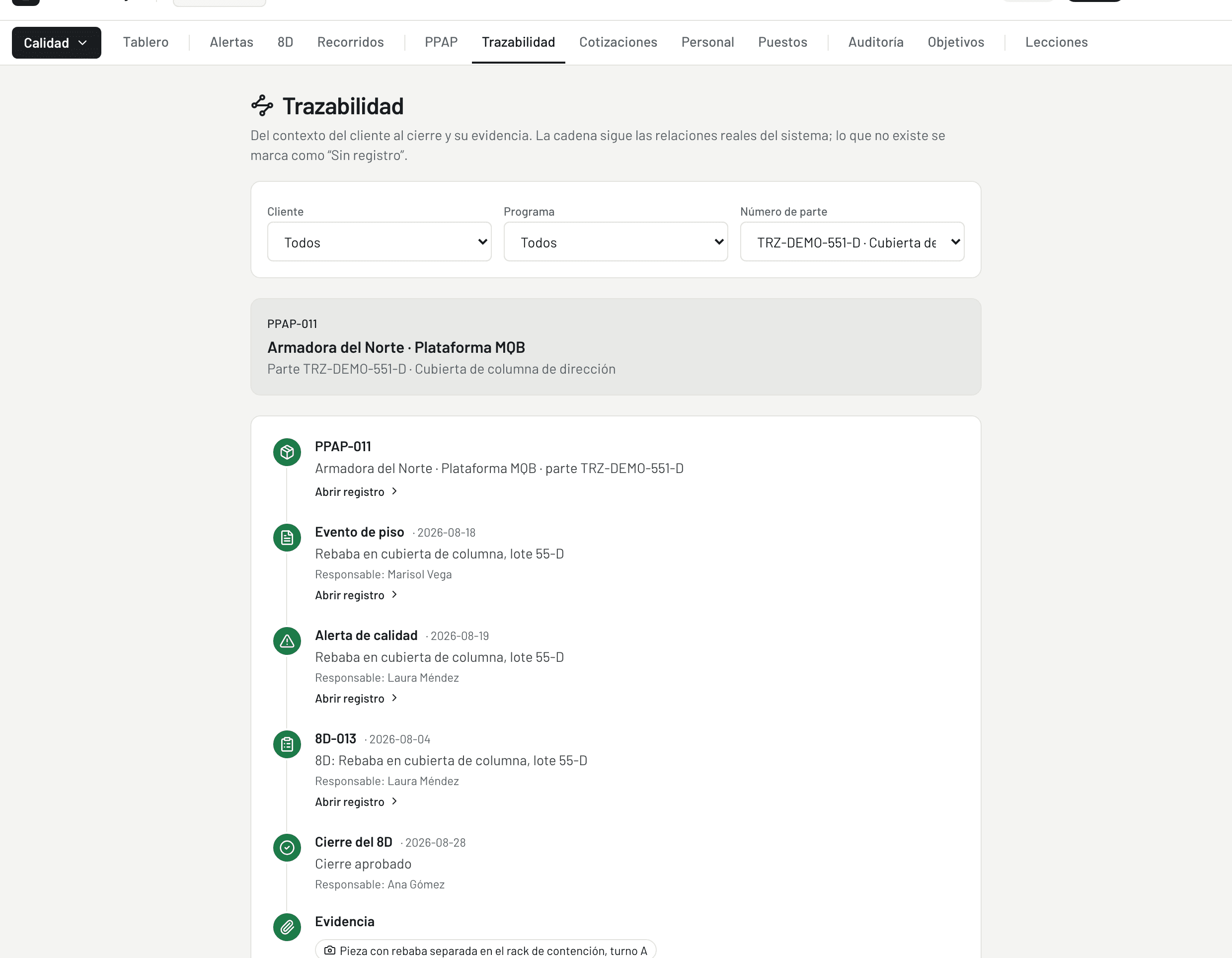
The history shows who changed what, and when. PPAP to event, alert to 8D, closure to evidence: the chain stays intact.
History · links · evidence
Each area keeps its own process. All of them share the rules that make follow-up possible in one system.
Every commitment has an owner and a due date. Status indicators show the cause, too: what is overdue, what is missing, what is keeping a record blocked.
Photos, certificates and reports stay attached to the record. Controlled documents keep the same reference number and content inside the system and on paper.
Every owner hears about what is coming due and what is overdue. Management sees what needs attention, and every notification sent is on record.
Operators, management, directors and auditors each see what their role needs, and all four of them look at the same history.
It does not replace your ERP or anything else you already use. It connects the work that falls through the cracks between systems, files and people. What goes live first is decided during the visit.
Same information, different views. The operator records, management follows up, the director decides. One history for all three.
Less time re-entering data, chasing evidence and stitching reports together. More time for the work that takes experience: analyzing problems, following up, and making the calls.
Your current team can take on more before adding headcount becomes the only option.
On the line
Scans the station code and sees exactly what applies there: required PPE, tools, and who is cleared to run the machine. Anything they spot on the floor, they report from the same phone, photo included. Anything that needs their signature reaches them right there.
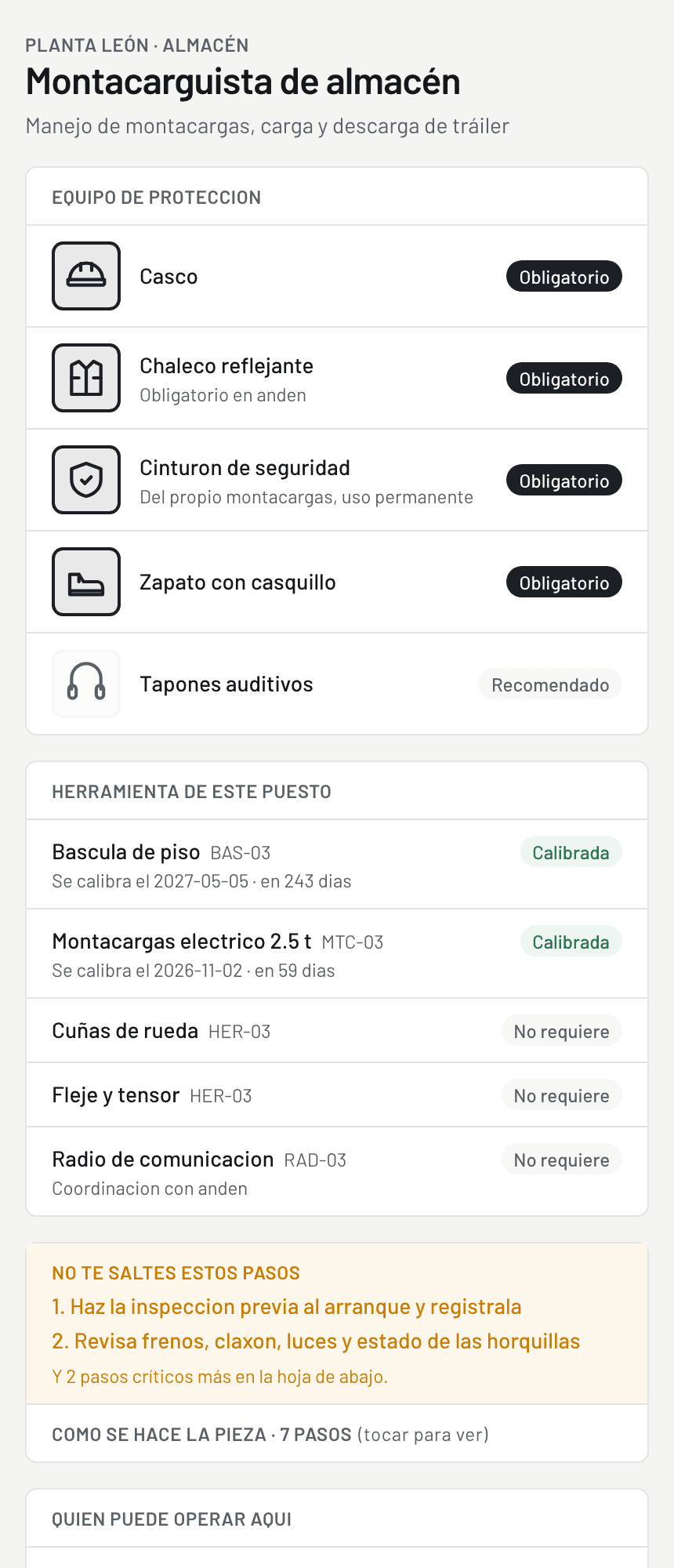
At the start of the shift
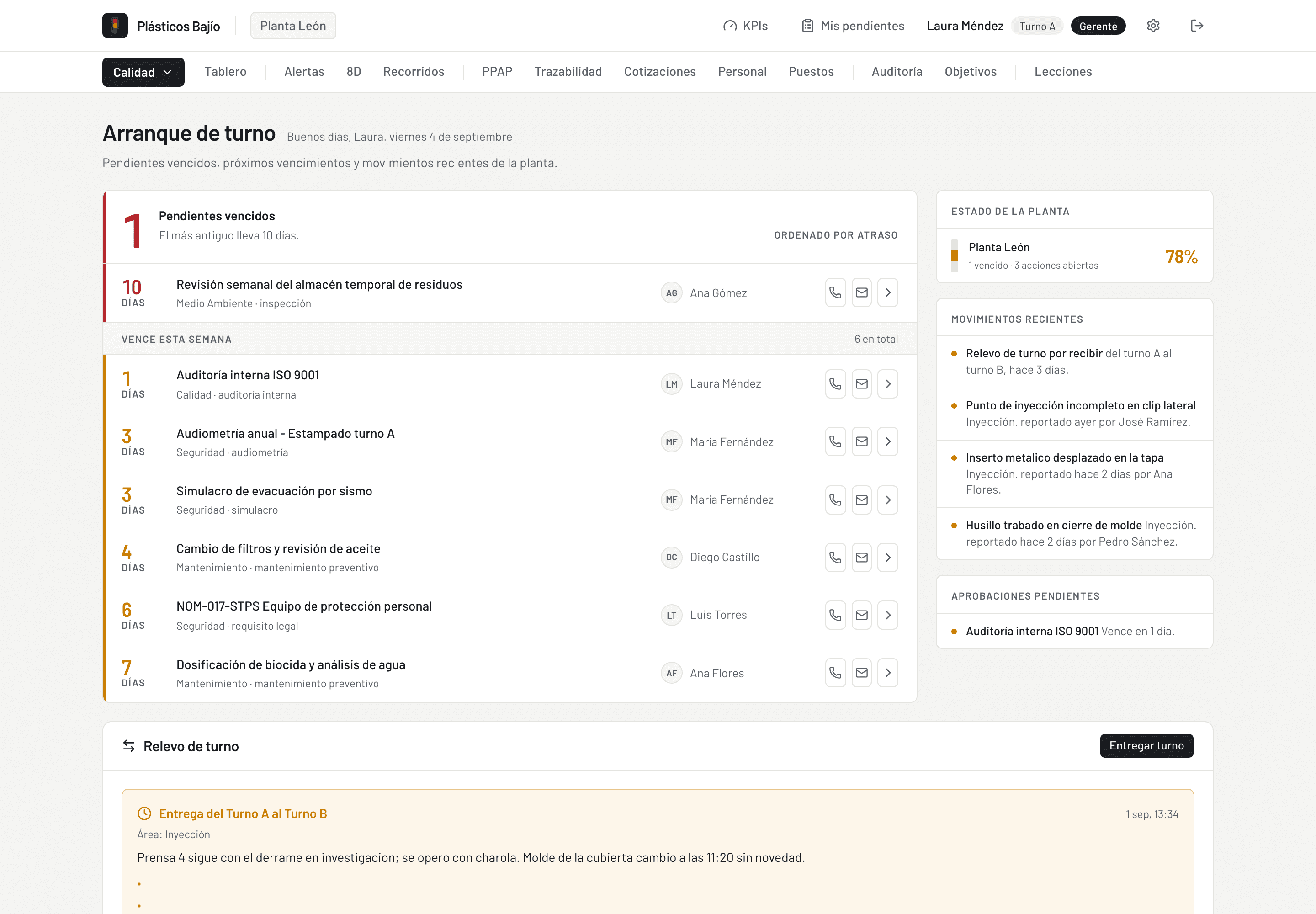
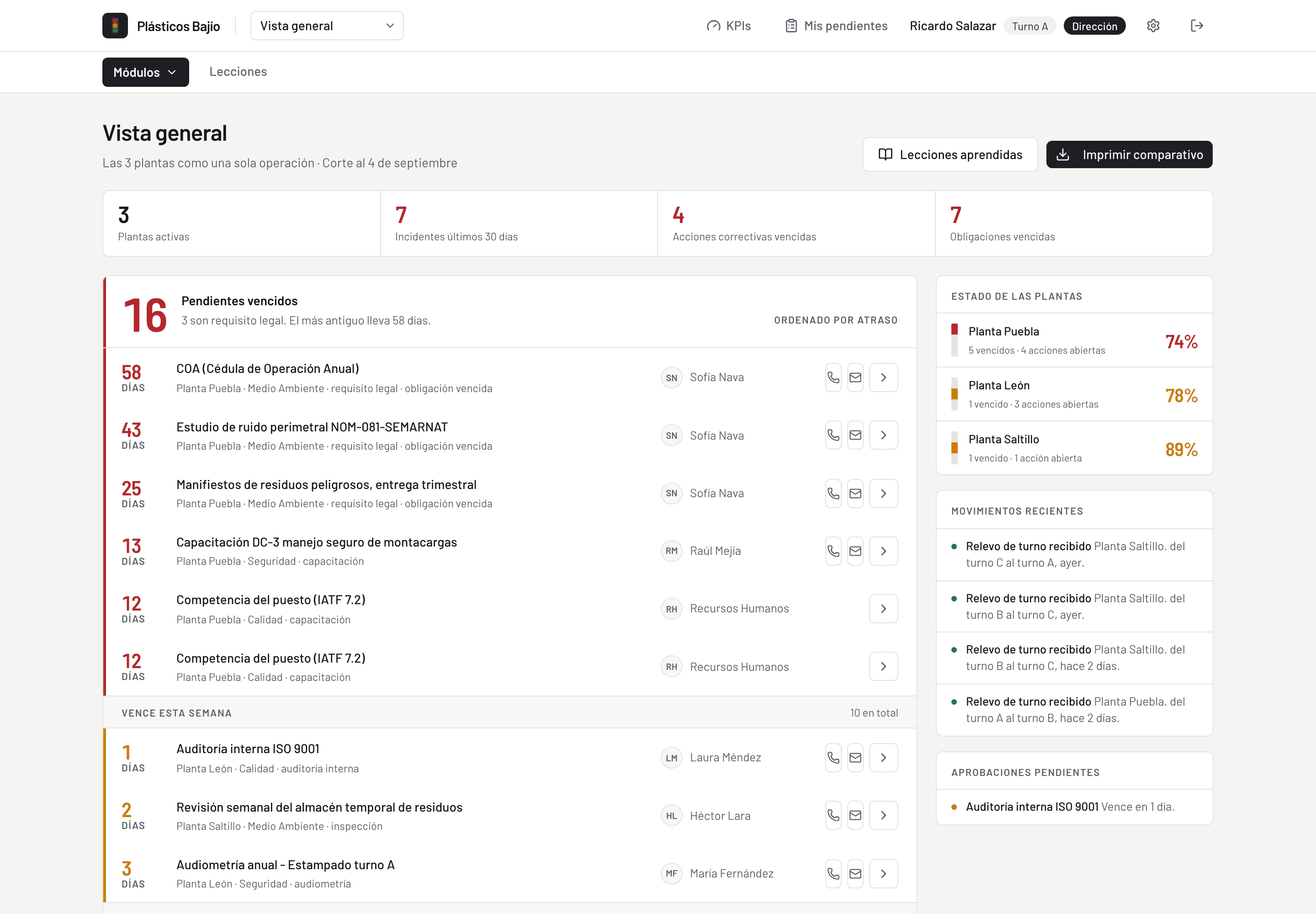
The day starts on one screen. What is overdue, sorted by how late it is. What is due this week. What just moved. What is waiting for an approval. Every line has an owner and a phone number one tap away, and the previous shift's handover is right there too.
From anywhere
All plants on one screen, run as one operation: the status of each site, plus everything overdue across the group, sorted by delay, with an owner and a phone number one tap away. The first decision of the morning starts here.
Start with one process. Grow with your operation. One visit is enough to pick the starting point and set the first scope.
One plant visit is enough to spot the process worth fixing first.
Book a visit to my plant